How To Start With Python
Start Python with Visual Studio Code
- Open Visual Studio Code.
- Create a file named main.py.
-
Type
print("Hello world")in the file. Save the file. - Click the run button at the top-right corner of the window.
- The output is 'Hello world'.
Start Python With Command Prompt (cmd) Using File
- Create a directory (folder) name Python at the desktop of your PC or at the preferred location of your PC.
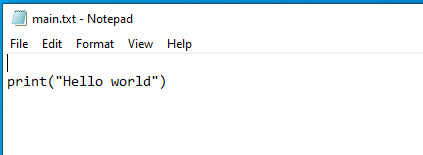
- Create a text file in the directory and name it main.
- Open the main file in any text editor like Notepad and type
print("Hello world")in the file. Save the file. - Change the file extension from .txt to .py.
- Open
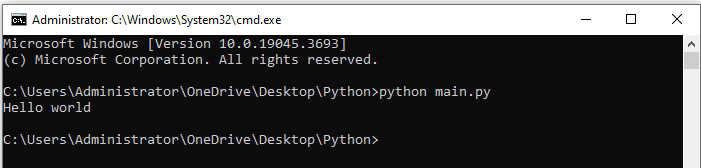
cmdand navigate to the directory containing main.py file or opencmdfrom the the directory you created earlier. -
Type and run the following command pressing enter key.
python main.pyExplanation:
pythonis the command andmain.pyis the python file. You can use the complete path of the file. - The output is 'Hello world'.
Execute Python Code in Command Prompt (cmd)
-
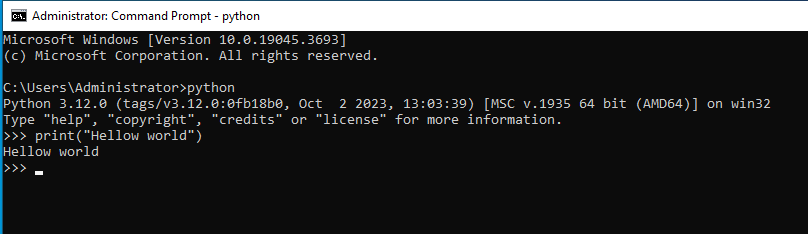
Open
cmd. -
Type
pythonand press enter. -
Type python code
print("Hello world"). - The output is
Hello world.
Execute Python Code in Our Online Python Compiler
You can write and execute Python code in our free online editor. Write print("Hello world") in the following code editor and click Execute button. The output will be displayed in Python Code Output section.
 Python Editor
Python Code Output